Millions of businesses use Facebook every day to find new customers, generate qualified leads, and grow sales. Facebook marketing delivers predictable business growth when you combine a clear technical setup, defined funnel objectives, and data-driven ad strategies. If you want sustainable ROI instead of guessing, you need a cohesive plan that integrates organic brand presence with high-converting paid campaigns.
This comprehensive guide walks you through building a solid foundation in Meta Business Suite, setting measurable campaign goals, and publishing content that earns organic reach. You will also discover how to leverage Meta Ads Manager, implement advanced tracking with the Meta Pixel and Conversions API (CAPI), and scale paid campaigns to maximize Return on Ad Spend (ROAS).
Key Takeaways
- Technical Foundation: High-performing Facebook marketing requires a fully optimized business page, a structured Meta Business Portfolio, and server-side tracking (Meta Pixel paired with Conversions API).
- Funnel-Aligned Strategy: Organic content builds community trust, while paid advertising campaigns systematically scale reach across specific funnel stages: Awareness, Consideration, and Conversion (Sales/Leads).
- Data-Driven Optimization: Regular A/B testing, custom and lookalike audience retargeting, and monitoring core KPIs turn engagement into bottom-line revenue.
Build the Right Business Foundation
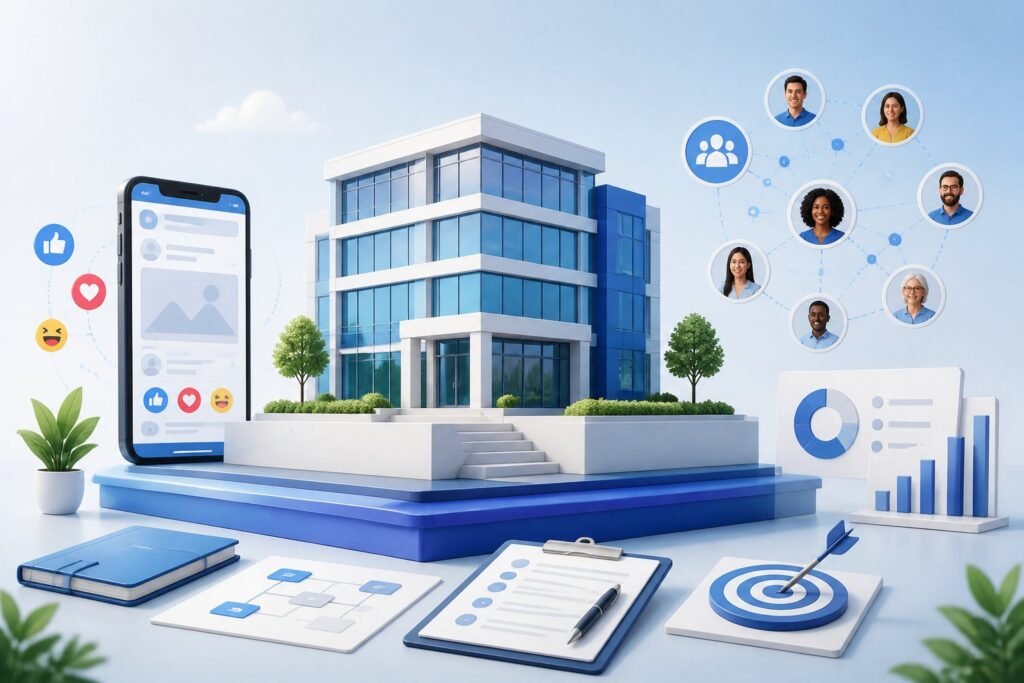
Before publishing content or launching paid advertising campaigns, you need to set up the core infrastructure and tracking systems that power modern Facebook marketing.
Meta Business Portfolio
 ├── Facebook Business Page (Brand Assets & Commerce)
 ├── Connected Instagram Account
 ├── Meta Ads Manager Account (Campaigns & Bidding)
 └── Meta Pixel & Conversions API (Events Manager Tracking)
Create and Optimize a Facebook Business Page
Your Facebook Business Page acts as your brand’s digital storefront. Complete every profile section to build immediate consumer trust and improve search discoverability across Facebook and Google:
- Profile & Cover Assets: Display a high-resolution logo for your profile photo and a branded 16:9 cover image or video.
- Complete Business Information: Add your business category, physical address, operating hours, website link, contact email, and phone number.
- Action Buttons: Choose a prominent primary Call-to-Action (CTA) button aligned with your business model (e.g., Shop Now, Book Now, Contact Us, or Sign Up).
- Custom Vanity URL: Secure a clean
@usernamethat matches your brand handles across other social media channels.
Configure Meta Business Suite and Access Roles
Meta Business Suite is the centralized control center for your Facebook and Instagram business assets. It consolidates post scheduling, unified inbox messaging, and ad management into a single platform.
Inside Meta Business Suite, organize your assets under a single Business Portfolio. Manage team permissions using precise access roles to protect your assets:
- Admin: Full control over portfolio settings, connected assets, billing, and user access.
- Editor: Can publish content, edit posts, and respond to direct messages, but cannot alter access settings or billing.
- Advertiser: Can create, manage, and optimize ad campaigns within assigned ad accounts.
- Analyst: View-only access to performance reporting dashboards and Meta Business Suite Insights.
Note: Require two-factor authentication (2FA) for all team members to safeguard your ad accounts and pages against security threats.
Connect Messaging, Commerce, and Tracking Tools
Integrating your operational and measurement tools bridges user interaction directly with sales revenue:
- Unified Inbox & Messenger Automation: Connect Facebook Messenger and Instagram Direct. Set up automated instant replies and FAQ prompts to resolve common customer inquiries rapidly.
- Facebook Shops & Social Commerce: For e-commerce brands, set up a digital storefront via Meta Commerce Manager to feature native product collections directly on your page.
- Meta Pixel & Conversions API (CAPI): Install the Meta Pixel on your website to track visitor actions. To bypass browser tracking limitations and ad blockers, pair the Pixel with the Conversions API in Events Manager to send reliable, server-side conversion data (e.g., ViewContent, AddToCart, Purchase) directly to Meta.
Define Goals, Audiences, and Measurement
A successful Facebook marketing strategy connects daily content and paid ad spend directly to measurable business outcomes.
Set Objectives Across the Customer Journey
Structure your campaigns around Meta’s six consolidated ODAX (Outcome-Driven Ad Experiences) campaign objectives in Ads Manager, mapped across the three stages of the customer funnel:
[ Top of Funnel ]    -->   [ Middle of Funnel ]   -->   [ Bottom of Funnel ]
  AWARENESS                   CONSIDERATION                 CONVERSION
  Awareness                   Traffic, Engagement,          Sales, Leads,
                              App Promotion                 App Installs
- Awareness (Top of Funnel): Maximize brand reach, ad recall, and video views among potential buyers who are unfamiliar with your brand.
- Consideration (Middle of Funnel): Drive targeted website traffic, post engagement, app installs, or lead form sign-ups.
- Conversion (Bottom of Funnel): Retarget warm leads to complete online sales, book calls, or request quotes.
Selecting a single primary objective per campaign ensures Meta’s bidding algorithms optimize delivery efficiently.
Research and Segment Your Target Audience
To avoid wasting budget, segment your Facebook audience into distinct targeting tiers based on intent:
- Core Audiences: Built using manual demographic parameters, geographic targeting (zip code or radius), age, gender, language, and detailed interest behaviors.
- Custom Audiences: High-intent audiences created from existing business touchpoints, such as website visitors tracked by the Pixel, email subscriber lists, or video viewers.
- Lookalike Audiences: AI-generated expansion audiences that match the behavioral profiles of your best existing customers (e.g., a 1% Lookalike of past high-value purchasers).
Choose KPIs That Connect Activity to Business Results
Focus on actionable conversion metrics rather than vanity indicators:
| Funnel Stage | Campaign Goal | Key Performance Indicators (KPIs) |
| Awareness | Brand Exposure | Reach, Impressions, Cost Per Thousand Impressions (CPM) |
| Consideration | Traffic & Engagement | Click-Through Rate (CTR), Cost Per Click (CPC), Outbound Clicks |
| Conversion | Sales & Direct Revenue | Conversion Rate, Cost Per Acquisition (CPA), Return on Ad Spend (ROAS) |
Use Meta Business Suite Insights and Meta Ads Manager to analyze on-platform data, and pair them with Google Analytics 4 (GA4) to evaluate post-click website behavior.
Plan Organic Content That Earns Attention
A consistent organic content strategy builds brand trust, keeps your audience engaged, and sends positive interaction signals to the news feed algorithm.
Build a Sustainable Content Calendar
Maintain an active page presence without overextending your operational capacity:
- Publishing Frequency: Plan 2 to 4 high-value organic posts per week.
- Content Pillar Matrix: Balance your content strategy across clear pillars (e.g., 40% Industry Value & Educational Tips, 30% Social Proof & Customer Reviews, 20% Direct Offers, 10% Behind-the-Scenes).
- Scheduling: Use Meta Business Suite’s native scheduling tools to queue visual assets, videos, and captions in advance.
- Timing: Review Page Insights to publish when your specific audience is historically most active online.
Choose Formats for Each Content Goal
Utilize diverse visual formats to maximize algorithmic distribution across feeds:
- Facebook Reels: Short-form vertical video (9:16) optimized for mobile feeds. Reels currently receive higher organic reach among non-followers.
- Image & Carousel Posts: Ideal for showcasing product features, step-by-step visual guides, and behind-the-scenes highlights.
- Long-Form Video Posts: Horizontal or square videos tailored for in-depth tutorials, interviews, and detailed product demonstrations.
- Facebook Stories: Casual, 24-hour visual updates ideal for polls, quick Q&As, and limited-time offer announcements.
- Link Posts: Native link preview cards engineered to drive organic referral traffic to blog articles or landing pages.
Create Conversations and Community Signals
The Facebook feed algorithm prioritizes content that generates meaningful social interactions—specifically comments and shares:
- End captions with specific, open-ended questions that prompt discussion.
- Launch a connected Facebook Group to foster a highly engaged community around your niche or product line.
- Use Facebook Events to promote session launches, live webinars, or local store sales.
- Share user-generated content (UGC), such as customer photos and reviews, to build social proof.
Use Paid Campaigns to Scale Results
Paid advertising in Meta Ads Manager allows you to scale audience reach rapidly and drive predictable sales.
Campaign Level (Select Objective: e.g., Sales / Conversions)
 └── Ad Set Level (Define Audience, Budget, Bidding & Placements)
      └── Ad Level (Upload Creative Assets: Visuals, Copy, Headlines, CTAs)
Select the Right Campaign Objective and Budget
Build structured campaigns inside Meta Ads Manager rather than relying on basic boosted posts:
- Budget Strategy: Choose between Daily Budgets for steady pacing or Lifetime Budgets for time-sensitive promotions. Utilize Advantage Campaign Budget (CBO) to let Meta’s machine learning dynamically allocate spend to top-performing ad sets.
- Scaling Protocols: When scaling a winning campaign, increase ad budgets incrementally (15% to 20% every few days) to prevent forcing the ad set back into the learning phase.
Build Audiences and Retarget High-Intent Visitors
Maximize return on ad spend by matching targeting strategies to customer intent:
- Cold Prospecting: Target core interest groups or 1% to 3% Lookalike Audiences generated from past purchasers.
- Middle-Funnel Retargeting: Target users who engaged with your Facebook page, watched 50%+ of your video ads, or visited your website in the last 30 to 90 days.
- Bottom-Funnel Retargeting: Target website visitors who triggered AddToCart or InitiateCheckout events within the last 7 to 14 days but did not buy.
Match Ad Creative and Placement to the Funnel
Align ad creative formats with the user’s decision-making stage:
- Top of Funnel: High-energy video ads, short Reels, and visual problem/solution image ads.
- Middle & Bottom of Funnel: Dynamic Product Ads (DPA), Carousel ads showcasing specific browsed products, testimonial graphics, and discount offers.
- Advantage+ Placements: Enable automatic placement optimization across Facebook Feed, Instagram Feed, Reels, Stories, and Audience Network to reduce overall cost-per-result.
Optimize Performance With Testing and Analytics
Continuous split testing and performance analytics keep ad creative fresh and ensure efficient campaign management.
Read Results in Meta Reporting Tools
Monitor core campaign performance data inside Meta Ads Manager and Meta Business Suite Insights:
- Track Cost Per Result (e.g., Cost Per Lead, Cost Per Sale) relative to your profit margins.
- Monitor Frequency metrics. An ad frequency higher than 4 or 5 combined with falling click-through rates indicates creative fatigue, signaling it is time to refresh your ad assets.
- Utilize Breakdowns in Ads Manager to analyze performance variations by age, gender, geographic location, and placement.
Run Structured A/B Tests
Isolate variables to determine exact performance drivers:
- Single Variable Testing: Test one element at a time (e.g., two different headlines while holding creative imagery, copy, and audience targeting constant).
- Built-In A/B Testing: Use Ads Manager’s native A/B testing tool to split test audiences randomly without overlap.
- Formulate Hypotheses: Define clear performance goals before launching (e.g., “Short-form Reels creative will achieve a lower CPA than static single-image ads”).
| Test Element | Metric to Evaluate |
| Headline & Copy | Outbound Click-Through Rate (CTR), Engagement Rate |
| Creative Assets (Image vs. Video) | Outbound CTR, Hook Rate, Hold Time |
| Audience Segments | Conversion Rate, Cost Per Purchase (CPA) |
| Placements | Return on Ad Spend (ROAS), Cost Per Click (CPC) |
Improve Creative, Targeting, and Landing Paths
Optimizing conversion rates requires evaluating the entire user path from ad click to website checkout:
- Message Match: Ensure landing page copy, visual branding, and promotional offers match the ad creative directly to reduce bounce rates.
- Mobile Page Speed: Optimize mobile loading times and streamline mobile checkout fields to minimize cart abandonment.
- Multi-Channel Analytics: Cross-reference Meta Ads Manager metrics with Google Analytics 4 (GA4) data to verify conversion tracking and attribution accuracy.
Turn Engagement Into Customer Relationships
Sustainable growth on Facebook requires turning short-term engagements into long-term customer relationships and repeat purchases.
Manage Comments and Messenger Conversations
- Respond to post comments and direct messages promptly. Maintaining fast response times builds customer trust and signals strong community engagement to the platform.
- Implement structured reply templates for standard customer support questions regarding shipping, pricing, or product availability.
- Monitor ad comments daily to answer pre-purchase questions, address objections, and remove spam.
Use Social Commerce and Events to Drive Action
- Facebook Shops: Maintain updated product catalog feeds, tag items directly in organic posts, and offer a frictionless mobile purchasing experience.
- Facebook Marketplace: For local businesses or physical goods, cross-list product inventory on Marketplace to capture local search intent.
- Event Marketing: Create structured Facebook Events for upcoming product launches, sales, or webinars to capture automated calendar reminders for attendees.
Document a Repeatable Operating Process
Establish standardized operating procedures (SOPs) to keep your social media marketing consistent:
- Brand Guidelines: Document brand voice rules, visual asset standards, hashtag policies, and approved response templates.
- Workflow Scheduling: Establish dedicated weekly schedules for creating content, queueing posts, reviewing Analytics, and adjusting ad budgets.
- Account Audits: Conduct monthly performance reviews to refresh audience targets, pause fatigued creative, and realign campaigns with overarching business goals.
Frequently Asked Questions
How can I get started with marketing on Facebook?
Begin by creating a free Facebook Business Page, filling out all profile information, and building a Meta Business Portfolio inside Meta Business Suite. Next, install the Meta Pixel and Conversions API on your website to gather visitor event data, publish organic content consistently, and launch initial targeted campaigns in Meta Ads Manager.
How much does it cost to advertise on Facebook?
There is no fixed cost to advertise on Facebook. You control your daily or lifetime campaign budgets within Meta Ads Manager. Costs vary based on your industry, target audience, ad quality, and competition. Many small businesses start with daily budgets of $10 to $50 and scale spending as campaigns deliver positive Return on Ad Spend (ROAS).
Is a $10 daily budget enough for Facebook ads?
A $10 daily budget can work well for hyper-local campaigns, basic brand awareness, or small retargeting lists. However, for national e-commerce campaigns or direct lead generation, higher daily budgets allow Meta’s machine learning algorithms to exit the learning phase faster by capturing adequate conversion data.
What are the best tools for managing Facebook campaigns?
The core native tools are Meta Business Suite (for organic post scheduling, messaging, and page insights) and Meta Ads Manager (for creating, targeting, and optimizing paid ad campaigns). For multi-channel management, third-party social media tools like Hootsuite, Sprout Social, or Buffer offer advanced scheduling and cross-platform analytics.
How do I choose the right audience for Facebook ads?
Start by defining buyer demographics, locations, and interests using Core Audiences. As your website collects event data via the Meta Pixel, create Custom Audiences targeting past site visitors and email subscribers, then expand reach by generating 1% to 3% Lookalike Audiences modeled after your highest-value customers.
Key Terms Glossary
- Facebook Business Page: A dedicated profile for businesses to connect with customers on Facebook.
- Meta Business Suite: Meta’s platform for managing Facebook and Instagram accounts, posts, messages, and ads.
- Access Roles: Permissions assigned to team members to control what they can do on your Facebook assets.
- Facebook Messenger: Facebook’s direct messaging tool used for customer service and communication.
- Facebook Shops: An e-commerce feature that allows businesses to sell products directly on Facebook.
- Facebook Marketplace: A platform for buying and selling items locally on Facebook.
- Facebook Pixel: A code you add to your website to track visitor actions and ad performance.
- Events Manager: A tool for managing and troubleshooting your Facebook Pixel and offline events.
- Core Audiences: Targeting based on demographics, interests, and behaviors.
- Custom Audiences: Audiences created from your existing customer data like email lists or website visitors.
- Lookalike Audiences: Audiences that resemble your best customers to help you reach new people.
- KPIs (Key Performance Indicators): Metrics that measure the success of your campaigns.
- Click-through Rate (CTR): The percentage of people who click your ad after seeing it.
- Conversion Rate: The percentage of clicks that result in a desired action (sale, sign-up, etc.).
- Return on Ad Spend (ROAS): The revenue generated for every dollar spent on ads.
- Facebook ROI: The overall profit from Facebook marketing compared to your investment.
- Content Calendar: A schedule for planning and organizing your Facebook posts.
- Facebook Reels: Short, engaging vertical videos designed for discovery and sharing.
- Boosted Posts: Regular Facebook posts that you pay to promote to a wider audience.
- Facebook Insights: Facebook’s analytics tool for measuring page and post performance.