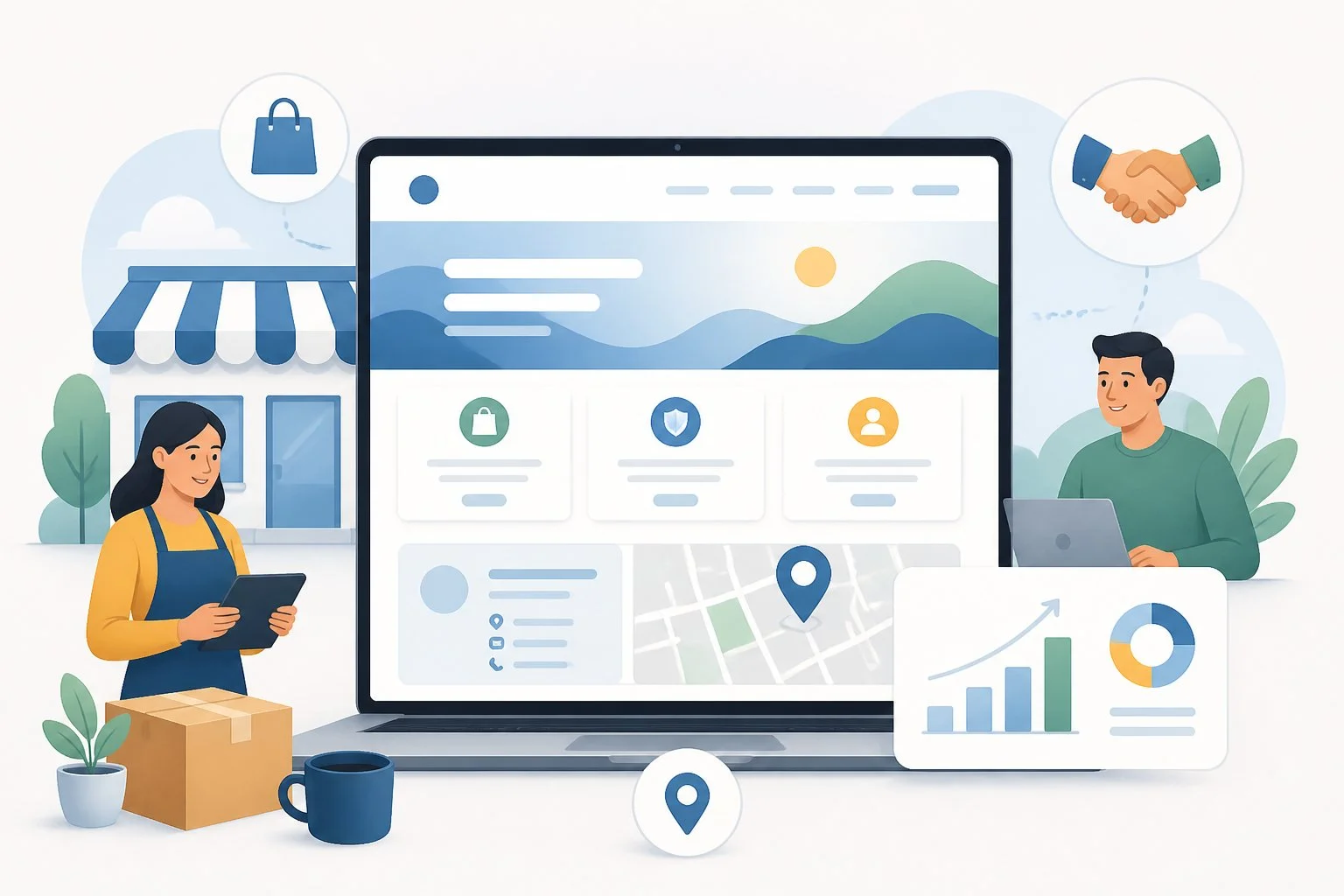
A small business website is one of the best tools you have to reach new customers and build trust. A clear, well-planned website helps you look professional, share what you offer, and turn visitors into paying customers. Whether you are starting from scratch or fixing an old site, the right steps make the process much easier.
You do not need to be a tech expert to build a strong online presence. With the right platform, a clean design, and a few key tools, your business website can work for you around the clock. This guide walks you through each step, from setting goals to launching your site and tracking results.
Pro Tip: Before you build anything, write down your top three business goals for the site, such as getting more calls, selling products, or booking appointments. This keeps your design and content choices focused and simple.
Key Takeaways
- A strong online presence starts with clear goals and a good understanding of your audience.
- Choosing the right platform, design, and security setup builds trust and keeps your site running smoothly.
- Adding the right tools and tracking your results helps turn website visitors into loyal customers.
Define Goals, Audience, and Site Structure
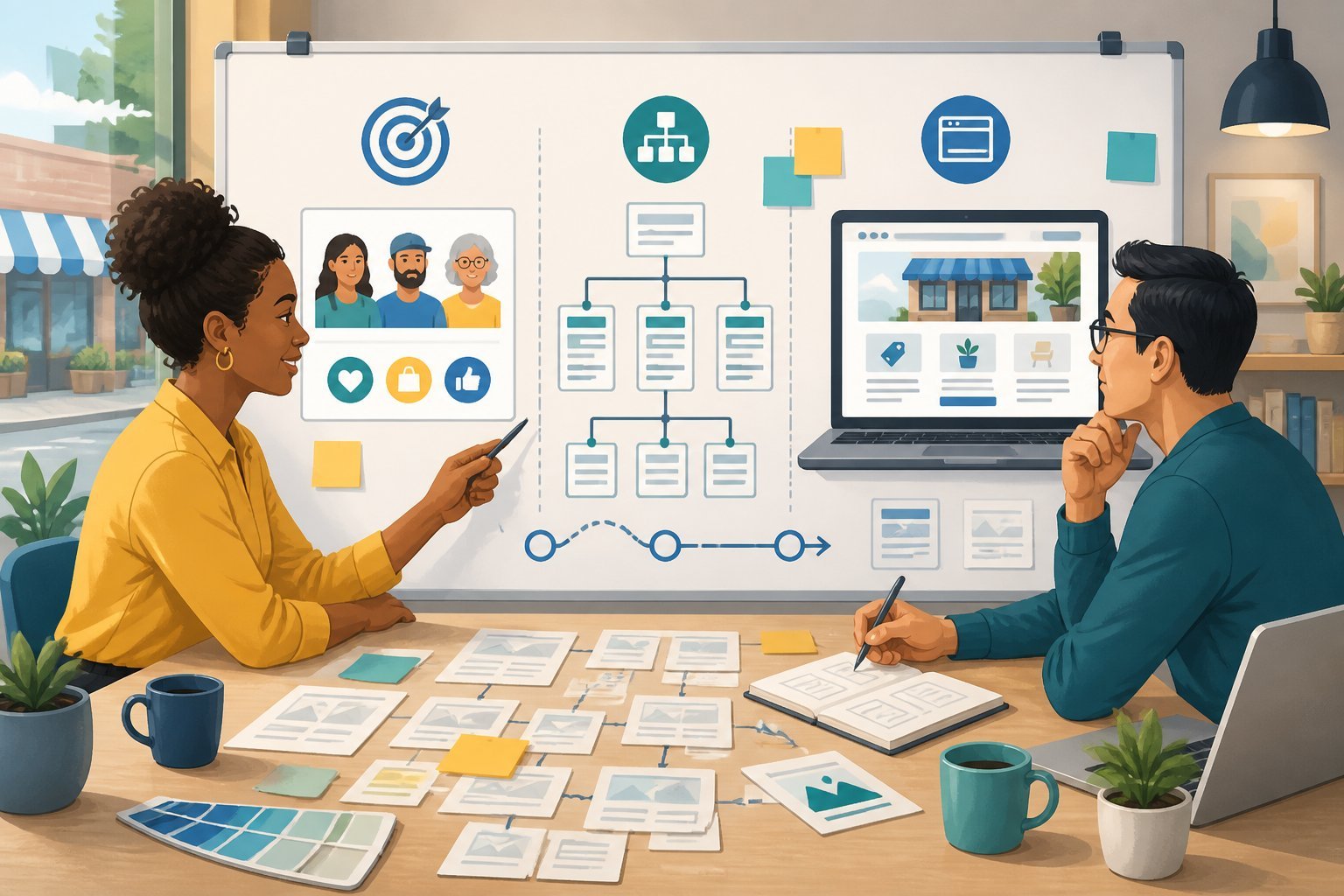
Before you create a small business website, decide what you want it to do, who will visit it, and how visitors will move through it. These three decisions shape every page and feature you build.
Choose the Primary Business Outcome
Every small business website needs one main job. Maybe you want more phone calls, online sales, or email sign-ups. Pick one main goal before you start building.
Trying to do everything at once often means doing nothing well. A landing page built to sell one product works differently than a homepage meant to introduce your brand. Match your site type to your goal.
Once you know the outcome, define your website’s purpose and audience so every design choice supports that goal. This keeps your site focused instead of cluttered with mixed messages.
Pro Tip: Write your main goal in one sentence and post it where you can see it while building. If a page or feature doesn’t support that sentence, cut it.
Map Essential Pages and User Journeys
Small business websites need a few core pages that work together. Here are the basics:
- Homepage – introduces your brand and points visitors to what they need
- About page – builds trust with your background and story
- Product or service pages – explain what you offer, with clear pricing
- Contact page – includes a contact form so people can reach you fast
- Blog – shares helpful content and supports search visibility
If you sell products, add an online store with clear categories and a simple checkout. Every page should connect logically, guiding visitors from browsing to taking action, whether that means filling out forms or making a purchase.
Prioritize Mobile-Friendly Navigation
Most visitors browse on their phones. Your navigation menu needs to work well on small screens, not just desktops.
Keep menus short and clear. Group pages by topic and avoid burying important links. Intuitive navigation means visitors find what they need within a few clicks, without confusion or extra scrolling.
Test your site on multiple phone sizes before launch. Buttons should be easy to tap, and text should stay readable without zooming.
Pro Tip: Place your contact form and top calls-to-action near the top of mobile pages. Visitors who leave without acting rarely come back.
Select the Right Platform and Plan
Your website platform decides how much control you have, how fast you can launch, and how much you will pay as your business grows. Before you commit, you need to weigh your building options, your design flexibility, and your true costs.
Compare All-in-One Builders and Self-Hosted Options
An all-in-one website builder handles hosting, security, and design tools in one package. This makes it a good fit if you want to launch fast without hiring a developer.
Popular small business website builder options include:
- Wix – known for its drag and drop editor and large Wix App Market for adding extra features
- Squarespace – built for clean, design-focused sites
- Shopify – made for online stores and product sales
- Framer – built for fast, visually driven sites with strong animation tools
Self-hosted platforms like WordPress give you more control over your code and design. You manage your own hosting, which takes more setup work but offers more freedom.
An ai website builder can speed up the setup process. It can generate layouts, text, and images based on your business type, cutting down the time you spend building from scratch.
Pro Tip: If you are unsure which platform to try first, test a few free trials before you pay. Building a sample page on two or three builders helps you compare speed, ease of use, and design options firsthand.
Evaluate Templates, Customization, and Scalability
Most platforms give you a website template library to start with. Look for business templates made for your industry, such as retail, services, or restaurants.
Check how much you can adjust:
- Can you change fonts, colors, and layouts easily?
- Can you add custom sections or code if needed?
- Does the drag and drop editor let you rearrange content without breaking the design?
Scalability matters just as much as design. If you plan to grow, ask whether the platform supports multi-site management. This lets you run more than one site, or add new pages and sections, without switching platforms later.
Some builders also offer stronger business solutions, like booking tools, inventory tracking, or marketing integrations, which can save you from needing separate software down the road.
Understand Free Plans, Paid Features, and Total Costs
Many builders offer a free plan, but these often come with limits. You may see builder ads on your site, a subdomain instead of your own domain name, or restricted storage.
Premium plans unlock features like custom domains, more storage, ecommerce tools, and priority support. Prices vary widely based on features and provider. For example, Hostinger starts at $3.99 per month, while Squarespace starts at $16 per month for billed annual plans.
Before you pick a premium plan, review:
- Monthly versus annual pricing
- Transaction fees for online sales
- Costs for extra apps or plugins
- Renewal price after any first-year discount
Add up these numbers over a full year, not just the first month, so you know the real cost of running your site.
Build a Credible Brand Experience
Your website’s design and content work together to prove you are a real, trustworthy business. Small details like a clean homepage, clear typography, and honest contact information tell visitors they can rely on you.
Create a High-Converting Homepage
Your homepage is the first thing most visitors see, so it needs to work hard. It should answer three questions right away: what you do, who you help, and why you’re the right choice.
Keep the layout simple. Use a clear headline near the top that states what your business offers. Below that, add a short line explaining who you serve, whether that’s homeowners, restaurants, or hospitality business owners.
Include a strong call to action, like “Get a Free Quote” or “Book a Consultation.” Add proof that you’re legitimate, such as client logos, reviews, or years in business. This kind of website design approach helps turn visitors into paying customers.
Pro Tip: Test your homepage on mobile first. Most visitors will view it on a phone, so make sure buttons are easy to tap and text is easy to read without zooming.
Use Visual Hierarchy, Typography, and Calls to Action
Visual hierarchy means guiding the eye to what matters most. Use size, color, and spacing to show visitors where to look first, second, and third.
Typography plays a big role here. Stick to two fonts at most: one for headlines and one for body text. Choose fonts that are easy to read on both desktop and mobile screens.
Make your calls to action stand out. Use a contrasting color for buttons like “Schedule Now” or “Contact Us Today.” Keep button text short and action-focused.
Avoid clutter. White space around text and images makes your site feel more professional and less overwhelming. This matters for service businesses like therapists and contractors who need visitors to quickly understand their services and take action.
Write Service, About, and Contact Content That Builds Trust
Your service pages should clearly explain what you offer, who it’s for, and what results customers can expect. Avoid vague language. Be specific about pricing ranges, timelines, or packages when possible.
Your About page should share your story in a few short paragraphs. Include your background, your team, and why you started the business. This page is often used by reporters and directories to describe your company, so keep it accurate and up to date.
Your Contact page needs more than just a phone number. Include a professional email address tied to your business domain, not a free email service. Add a contact form so visitors can reach you directly from the site.
If you offer real-time support, consider adding live chat, especially useful for consulting firms or restaurants taking reservations. Below is a simple breakdown of trust-building contact details:
| Element | Why It Matters |
|---|---|
| Business email | Shows professionalism, not a personal Gmail account |
| Contact form | Makes it easy for visitors to reach out |
| Phone number | Builds trust for urgent needs |
| Physical address | Confirms you’re a real, local business |
Pro Tip: List your business hours and response time expectations on your Contact page. This small detail reduces confusion and builds confidence before someone even reaches out.
Set Up Domains, Hosting, and Security
Your website needs three basic building blocks: a domain name, a hosting plan, and security features that keep visitors safe. Getting these right from the start saves time and protects your business later.
Choose and Connect a Brandable Domain
Your domain name is often the first thing customers see, so pick one that matches your business name and is easy to spell. Keep it short, avoid hyphens and numbers, and stick to a .com ending when you can.
Once you pick a name, you need to connect it to your hosting account. Most providers let you buy a custom domain directly through their platform, which simplifies setup since your domain and hosting live in one place.
If you already own a domain from another company, you can point it to your new host using DNS settings. This usually takes a few hours to fully update.
Confirm Performance, Reliability, and Mobile Readiness
Your web hosting plan controls how fast your site loads and how well it handles traffic. Slow pages drive visitors away, so look for a host that uses solid state storage and offers strong uptime guarantees, ideally 99.9% or higher.
Many hosting plans now include a global CDN, or content delivery network. This spreads your website files across servers in different locations, so pages load faster no matter where a visitor is located.
Mobile readiness matters just as much as speed. More than half of web traffic comes from phones, so your host and website platform should support responsive design that adjusts automatically to smaller screens.
Test your site on a phone and tablet before launch. Check that buttons are easy to tap and text is readable without zooming in.
Protect Visitors, Payments, and Customer Data
Security builds trust with visitors and protects sensitive information. Every small business site needs an SSL certificate, which enables HTTPS and encrypts data passed between your site and visitors. Most hosts include this for free, and browsers now flag sites without it as “not secure.”
Look for hosting plans that include enterprise-grade security features like malware scanning, a web application firewall, and DDoS protection. These tools block common attacks before they reach your site.
If you sell products online, make sure your payment processor is PCI compliant, which protects credit card data during checkout.
A professional email address that matches your domain, such as info@yourbusiness.com, also adds credibility and helps prevent phishing scams that target generic email accounts.
Pro tip: Turn on automatic daily backups. If your site is ever hacked or crashes, you can restore it quickly instead of rebuilding from scratch, a feature offered by hosts like Hostinger and SiteGround.
Add Tools That Turn Visitors Into Customers
A website that only displays information will not grow your business. You need built-in tools that let people buy, book, and connect with you without leaving the page.
Sell Products, Services, and Digital Offers
Your website should work as an ecommerce website that lets you sell online without extra software. Set up product pages that show clear photos, prices, and details for each item you offer.
You can sell more than physical goods. Many small businesses now offer digital products like guides, templates, or online courses through their online store.
Print-on-demand tools let you sell custom items, such as shirts or mugs, without holding inventory. If you offer ongoing services or memberships, subscriptions give customers an easy way to pay on a set schedule.
Enable Booking, Payments, and Client Workflows
If your business relies on appointments, add scheduling tools directly to your site. This lets customers pick a time that works for them without calling or emailing you first.
Once a service is booked, you need a simple way to bill for it. Built-in invoices let you send bills, accept payments, and keep records in one place.
An owner app can help you manage these tasks from your phone. You can confirm bookings, send invoices, and check payments while away from your desk.
Capture Leads and Nurture Customer Relationships
Not every visitor is ready to buy right away. Forms on your site let you collect contact details from people who want more information before making a decision.
A CRM helps you store and organize this information. Good contact management means you always know who reached out, what they asked, and when you last talked to them.
Live chat gives visitors a fast way to ask questions while they’re on your site. Quick answers can be the difference between a sale and a visitor who leaves.
Once you have contact information, email marketing keeps your business in front of new leads. Regular email marketing campaigns can share updates, offers, and reminders that bring visitors back to buy.
Launch, Get Found, and Improve Results
Once your site is live, the work shifts to visibility and improvement. This means optimizing your pages, spreading the word through the right channels, and tracking what works so you can make smart changes over time.
Optimize Pages for Search and Local Discovery
Search engine optimization (SEO) helps your website show up when people search for products or services like yours. Start with keyword research to find out what your customers type into Google.
Then use those keywords in your page titles, headers, and body text. This is small business SEO at its core, and it works best when paired with local SEO if you have a physical location.
Claim and complete your Google Business Profile. Keep your business name, address, and phone number the same everywhere online.
You should also pay attention to generative engine optimization (GEO), since AI-powered search tools now pull answers from well-structured, clear content. Tools like Google Search Console and other SEO tools can show you which pages need work.
Quick checklist:
- Add keywords to title tags and meta descriptions
- Use header tags to organize content
- Add alt text to images
- Link related pages together
Promote Content Through Social and Email Channels
A website alone won’t bring traffic. You need to actively share your content and connect with people where they already spend time.
Post regularly on Facebook and Instagram to reach current and future customers. Share blog posts, updates, and offers that link back to your site.
Email marketing is another strong option. It lets you reach people who already know your business and keeps them coming back.
Build an email list through sign-up forms on your site, then send updates, promotions, or helpful tips on a regular basis. Many marketing tools let you manage social posts and email campaigns from one place, saving time and keeping your messaging consistent.
Pro Tip: Repurpose one blog post into three or four social media posts. This stretches your content further without extra writing time.
Measure Performance and Refine the Experience
You can’t improve what you don’t measure. Analytics tools show you how visitors find your site, which pages they view, and where they leave.
Google Analytics is a free option that tracks traffic sources, visitor behavior, and conversions. Review this data monthly to spot trends.
Look at which keywords bring in traffic and which pages have high bounce rates. If a page isn’t performing, update the content, fix slow load times, or improve the layout.
Testing small changes, like a new headline or call-to-action button, can lead to better results over time. Small businesses that check their analytics regularly tend to catch problems early and make faster improvements than those who never look at the data.
Frequently Asked Questions
Building a small business website involves choosing the right tools, understanding costs, and setting up the pages your customers expect to see. Here are answers to common questions that come up during the process.
How do I create a website for my small business?
You can create a small business website by picking a website builder, choosing a template, and adding your content. Most builders walk you through the steps in order: pick a domain name, select a design, then add your text, photos, and contact information.
You don’t need coding skills for this process. Platforms like Wix, Squarespace, and Shopify use drag-and-drop editors that let you build pages by clicking and typing.
Once your site looks the way you want, you publish it and connect your domain name. After that, you can update pages anytime without hiring a developer.
Pro Tip: Write down your business goals before you start building. Knowing whether you want to sell products, book appointments, or share information will help you pick the right template and features from the start.
What is the best website builder for a small business?
The best website builder depends on what your business needs. Shopify works well for stores selling physical products, while Squarespace is known for clean, professional designs that suit service businesses.
Wix offers more flexibility with drag-and-drop design, which helps if you want full control over layout. WordPress gives you the most customization options, but it has a steeper learning curve than the others.
Compare pricing, templates, and built-in features before you decide. Many builders offer free trials, so you can test the interface before paying.
How much does it cost to build a small business website?
Most small business websites cost between $10 and $50 per month for hosting and a website builder plan. This price usually covers your domain name, hosting, and access to templates.
If you hire a designer or developer, costs can range from a few hundred dollars to several thousand, depending on the complexity of the site. Custom features like online booking systems or advanced e-commerce tools can add to the price.
You’ll also want to budget for ongoing costs like domain renewal, email hosting, and any paid plugins or apps.
Can I create a business website for free?
Yes, you can build a website for free using platforms like Wix, WordPress.com, or Google Sites. These free plans typically include basic templates and limited storage. learn to design a Wix website.
Free websites often come with the platform’s branding, such as ads or a subdomain like “yourbusiness.wixsite.com.” You’ll need to upgrade to a paid plan to remove these limits and use your own domain name.
Free plans work well for testing ideas or launching a simple site quickly. As your business grows, you may want to switch to a paid plan for more features and a more professional look.
What pages should a small business website include?
A basic small business website should include a homepage, an about page, a services or products page, and a contact page. These pages give visitors the information they need to understand your business and reach out.
Many businesses also add a FAQ page to answer common customer questions in one place. This can reduce the number of support emails or calls you receive.
Other useful pages include a blog, customer testimonials, and a pricing page. If you sell products online, you’ll also need product pages and a shopping cart.
Do I need an LLC to run a small business website?
No, you don’t need an LLC to run a business website. You can operate as a sole proprietor and still build and publish a site under your business name.
An LLC does offer legal protection by separating your personal assets from business debts and liabilities. Many business owners choose to form one as their business grows, but it’s not a requirement to launch a website.
If you plan to sell products or collect payments, check your state’s rules on business registration and sales tax. These requirements exist separately from whether you have an LLC.
Comprehensive Key Terms Glossary
- All-in-One Website Builder: A platform that combines hosting, design, and security tools, allowing users to build and manage a website without separate services or advanced technical skills.
- AI Website Builder: A website creation tool that uses artificial intelligence to automatically generate layouts, text, and images based on business type or user input.
- Brand Experience: The overall impression and emotional response a visitor has when interacting with your website, influenced by design, content, and usability.
- Business Solutions: Additional tools or integrations offered by website platforms, such as booking systems, inventory tracking, or marketing automation, designed to help businesses operate more efficiently online.
- Call to Action (CTA): A prompt on a website, such as a button or link, that encourages visitors to take a specific action (e.g., “Buy Now,” “Contact Us”).
- Contact Form: An online form that allows website visitors to send messages or inquiries directly to the business.
- Credibility: The trustworthiness and professionalism conveyed by a website through its design, content, and contact information.
- Custom Domain: A unique web address (URL) chosen by a business (e.g., www.yourbusiness.com) instead of a generic or subdomain provided by a website builder.
- Drag and Drop Editor: A visual tool that lets users build web pages by moving elements (text, images, buttons) into place without coding.
- Ecommerce Tools: Features that enable online sales, such as product listings, shopping carts, and secure payment processing.
- Homepage: The main entry page of a website, typically introducing the business and guiding visitors to key sections.
- Hosting: The service that stores website files and makes them accessible on the internet.
- Mobile-Friendly Navigation: Website menus and layouts designed to work smoothly and intuitively on smartphones and tablets.
- Multi-Site Management: The ability to manage multiple websites or domains from a single platform or dashboard.
- Online Store: A section of a website where products are sold directly to customers, often including product categories and checkout functionality.
- Platform: The underlying system or service used to build and manage a website (e.g., Wix, Squarespace, WordPress).
- Premium Plan: A paid subscription tier on a website builder that unlocks advanced features, such as custom domains, increased storage, and ecommerce capabilities.
- Scalability: The ability of a website or platform to grow and handle increased traffic, content, or business needs over time.
- Security Features: Tools and protocols (like SSL certificates) that protect a website and its visitors from threats such as hacking or data theft.
- Self-Hosted Platform: A website system (such as WordPress.org) where the user is responsible for choosing and managing their own hosting, offering greater flexibility and control.
- Template: A pre-designed web page or site layout that can be customized with your business’s content and branding.
- User Journey: The path a visitor takes through a website, from arrival to goal completion (e.g., making a purchase, filling out a form).
- Visual Hierarchy: The arrangement of design elements to guide visitors’ attention to the most important information first.
- Website Structure: The organization and arrangement of a website’s pages and navigation, determining how users find information.